 Cadenza
C · E · G♭
Three notes in, three notes named. Chord tools have been known to call this shape a D9. There is no D in it.
How it decides
One set of notes usually has more than one correct name. Cadenza picks one and follows a rule you can check. Here is what it does with the cases that break other tools — screenshots, not claims. And the whole live view is the free tier: naming this careful costs nothing, forever.
Three notes in, three notes named. Chord tools have been known to call this shape a D9. There is no D in it.

A shell voicing, named as a shell voicing. Not a Cmaj7 that promises an E you never touched.

Rooted where your hand is. Not four notes away, as an F7sus4 inversion that nobody was playing.

ø7, because it is ø7. Written the way a chart writes it, with the alternatives underneath and the degree in the key below that.

The alteration in brackets. Where a musician expects to read it — and set in a font that actually has a ♭.

Minor-major, not A♭aug over F. The chord that turns most naive detectors into a slash reading nobody would play.
Nothing here is a model or a guess. It is a lookup and a ranked preference, running offline on your machine — which is why it can promise never to invent a note, and a system that guesses cannot.
88 naming tests · 1 474 shapes swept · 0 invented notes
While your hands are still down
Put one window on the screen your students are watching and harmony stops being abstract. The moment your hands land, the same chord appears four ways — and nobody has to redraw it on a whiteboard.

1 · Do · C. Each pressed key carries its chord tone, its solfège name and its letter — the three things a student is holding in their head at once. Eighty-eight keys, and the labels appear only on the ones you are actually pressing.
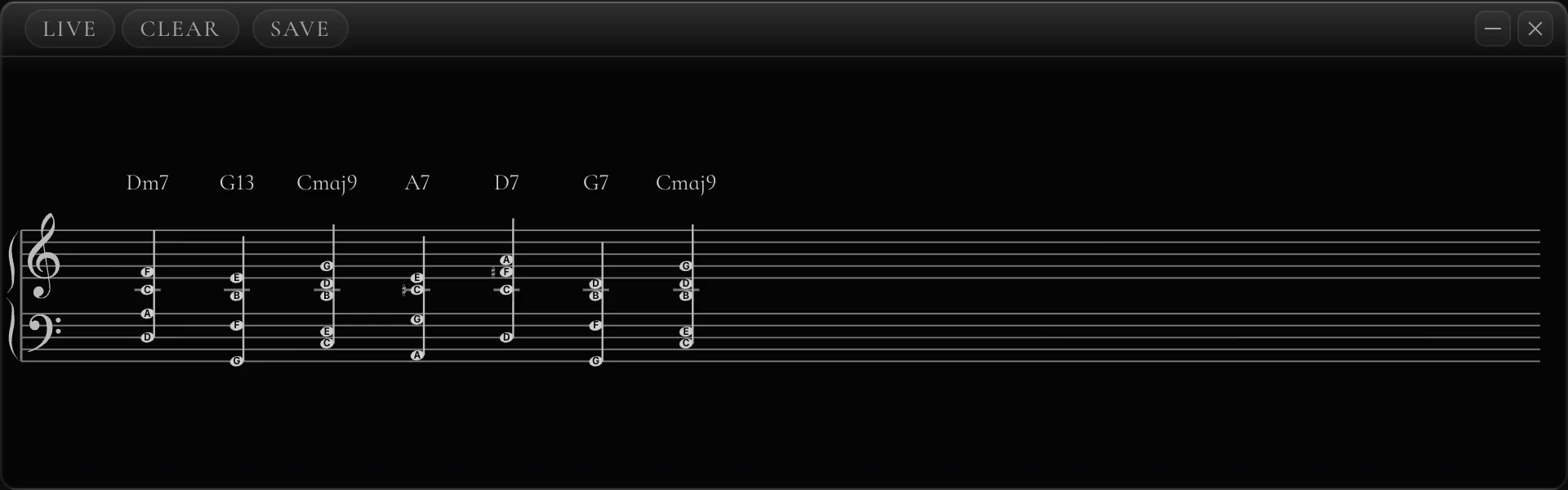
Written as you play. The staff keeps what came before, so a progression stays readable while you explain the last chord of it — and each chord carries the name it was given.
Four windows, one keyboard, no lag between them. Everything below happens in the same instant your hands land — and stays on screen after you take them off.


Three modes, one switch. The same three screenshots, taken from the same window.
Play a chord and the app has something to say about it: a line from someone who spent their life at a piano, the theory behind the harmony, or a joke at your expense. 4,781 of them. A shuffle bag deals each one once before any comes round again — at fifty chords a practice session, that is sixty-four sessions before you see the same line twice.
The quotations are the biggest part, and half of them have a real name on them: Bill Evans, Monk, Miles, Ellington, Schumann, Stravinsky, Debussy, Schnabel, Gould, Casals, Callas, Nadia Boulanger, Aretha Franklin, Ray Charles, B.B. King, Mahalia Jackson, Jobim, Piazzolla, Ravi Shankar, Quincy Jones, Brian Eno. The other half are bandstand and practice-room sayings, and they say so — an invented line with a real name under it is a forgery, not a flourish.

It stays quiet until you are actually playing a line. Pedal down, six different pitch classes, no octave doubles, spread over more than half a second — then it names the scale. Three notes will not make it shout a mode at you.
Type a chord and see it written, lit and voiced. Type a scale and watch it appear under your hands. Or play something and let the app do the typing.


macOS 12 or later · Windows 10 and 11 · no account, no card
Also in Cadenza